

An llms.txt file is a text file you place on your site to give AI tools a summary and a list of your most important pages. The goal is to help large language models like ChatGPT and Claude understand your content quickly.
Creating this file sounds useful, and it may well be useful, but there’s a small catch. Evidence suggests AI tools rarely use these files, and Google specifically says that you don’t need one to appear in its AI features.
This guide covers the basics of llms.txt, whether it works, and how to create one or add it to your WordPress site. Let’s dive in.
What Is llms.txt?
llms.txt isn’t an official file. It was proposed by Jeremy Howard in 2024 as a way to provide information to help agents use your website. The file sits at the root of your website, at an address like yourdomain.co.uk/llms.txt. It’s written in Markdown, a simple text format that AI tools can easily read.
It’s like a short guidebook for AI. The idea is to help AI understand your business and where your key content lives, so they don’t have to crawl every page. Some people might compare it to robots.txt, but the two serve different purposes. Robots.txt tells crawlers which pages they can and cannot access on your website. Llms.txt doesn’t block or allow anything; it only suggests which content matters most.
What Does an llms.txt File Look Like?
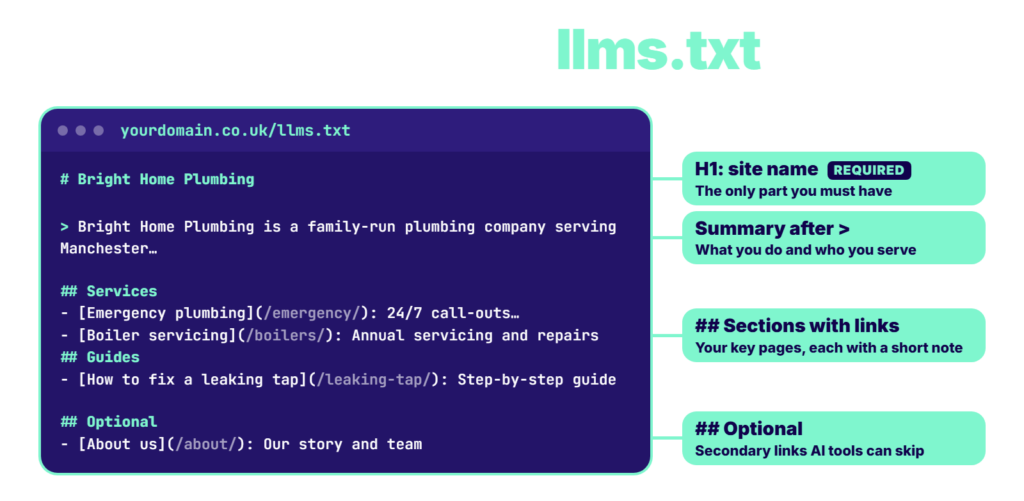
The format is simple. The only required part is a main heading with the name of your site. It includes a short summary and a few list of links. Here’s an example for a fictional business:
# Bright Home Plumbing
> Bright Home Plumbing is a family-run plumbing company serving Manchester, offering emergency repairs, boiler servicing, and bathroom installations.
## Services
– [Emergency plumbing](https://brighthomeplumbing.co.uk/emergency/): 24/7 call-outs across Greater Manchester
– [Boiler servicing](https://brighthomeplumbing.co.uk/boilers/): Annual servicing and repairs
## Guides
– [How to fix a leaking tap](https://brighthomeplumbing.co.uk/leaking-tap/): Step-by-step guide
## Optional
– [About us](https://brighthomeplumbing.co.uk/about/): Our story and team
The “Optional” section is where you can list secondary content that AI tools can skip if it’s short on space.
Does llms.txt Work?
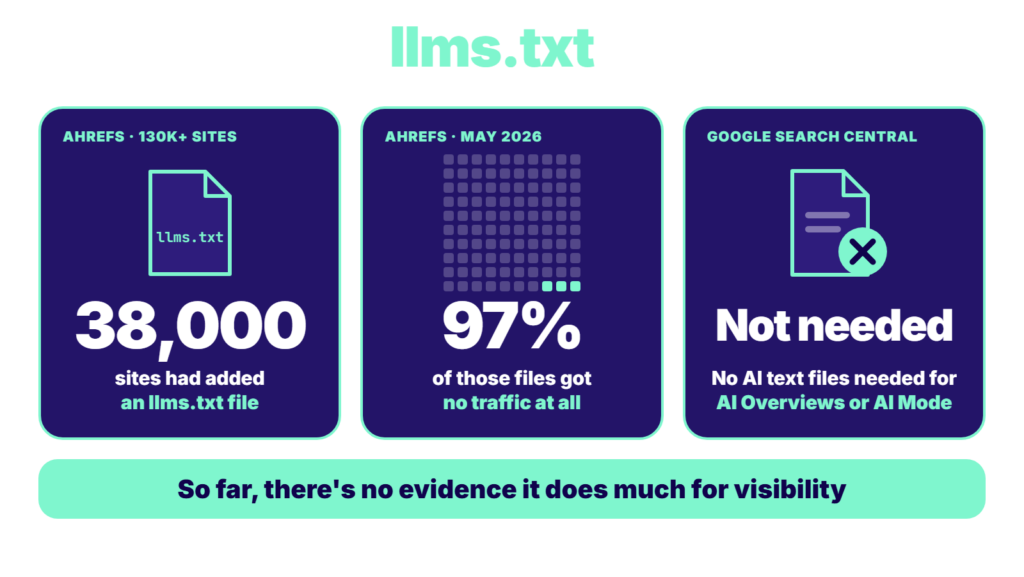
There’s currently no evidence that says it does a lot for your visibility. A study of more than 130k websites by Ahrefs found that 38,000 of them created an llms.txt file, 97% of those files received no traffic at all in May 2026.
Google doesn’t use llms.txt files either. Its documentation says you don’t need to create new machine-readable files, AI text files, or markup to appear in AI Overviews or AI Mode.
Should You Still Add an llms.txt File?
Publishing an llms.txt file probably won’t hurt, but don’t expect it to create a huge difference either. There are a few cases where it can make senses:
- Your SEO Plugin Can Create It in One Click: If your website is on WordPress, and it takes a few seconds to publish this file, there’s probably no downside.
- You Want to Ready for Any Future Updates: Things can change suddenly. AI tools might adopt later, so you may want to be ready beforehand.
Don’t treat it as a shortcut or even an SEO strategy right now. If an AI tool can’t crawl your pages, or your content isn’t genuinely helpful, an llms.txt file won’t fix that. Our guide on LLM Optimisation covers the stuff that matters more.
How Do You Create an llms.txt File?
Manually adding an llms.txt file to your website takes a few minutes, if you want to do it manually.
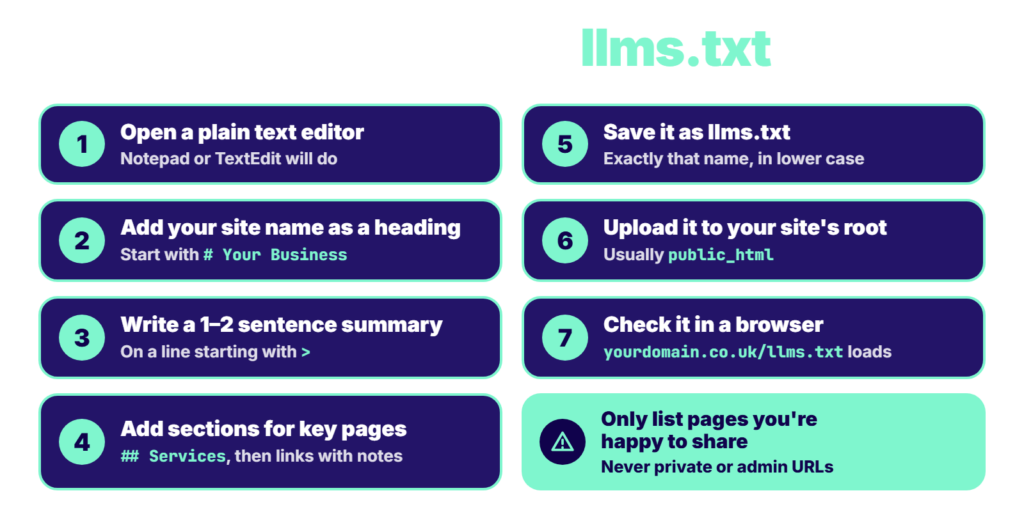
- Step 1: Open a Plain Text Editor: Notepad on Windows or TextEdit on Mac will do.
- Step 2: Add Your Site Name as a Heading: Start the file with a single # followed by your business or website name.
- Step 3: Write a One or Two Sentence Summary: Put it on a line starting with >. Describe your business (What it does and who it serves).
- Step 4: Add Sections for Your Key Pages: Use ## headings, such as “Services” or “Guides,” and list your important pages as links with a short description of each.
- Step 5: Save it as llms.txt: Make sure the file name is exactly llms.txt, in lower case.
- Step 6: Upload it to the Root of Your Website: Use your hosting file manager or FTP to place it in the main folder (Often called public_html), so it appears at yourdomain.co.uk/llms.txt.
- Step 7: Check It: Visit it in a browser to make sure the file loads.
A word of caution: Only list pages you’re comfortable to share with anyone. Never include private or admin URLs.
How Do You Add llms.txt in WordPress?
The easiest method to create an llms.txt file in WordPress is through an SEO plugin. YOAST SEO, for instance, can generate it for you:
- Step 1: In your WordPress dashboard, go to YOAST SEO.
- Step 2: Go to Settings, then Site Features.
- Step 3: Under AI tools, find LLMS.txt
- Step 4: Turn the toggle ON, and then click Save.
What Should You Focus on Instead?
If you want AI tools to find and cite your content, the following stuff can have a far more impact than creating an llms.txt file:
- Make your website accessible for AI crawlers, including OAI-SearchBot for ChatGPT search.
- Get your SEO basics right. Make sure your pages are indexed and eligible to appear in Google’s AI features.
- Write answer-first content. Use clear headings and provide direct answers to question queries.
- Earn mentions on other sites that are relevant and trusted. This helps AI tools recognise your brand.
How Can AI SEO Help You Get Found in AI Search?
It’s easy to get excited about small technical tweaks like creating an llms.txt file, but AI visibility requires more than that. More importantly, your website must be technically eligible to appear in AI search results. In addition to that, your content should be AI-friendly. This often means structuring your content properly and focusing on providing direct answers to popular queries in your niche. AI SEO helps business owners with virtually every part of AI SEO.